Background

HBOMax Video Downloader

Download HBO Max shows and movies to Full HD MP4 or MKV at 10X faster speed. Keep all audio tracks (including EAC3 5.1) and subtitles. Enjoy offline playback without limits!

*Note: Non-Max.com users, please download from here.

*Note: Kigo HBOMax Video Downloader is a home Editon only for personal use.

Download HBO Max Videos Without Limits, Enjoy Offline Viewing

Say goodbye to the 30/100-video limit and expiration restrictions of the HBO Max app! Kigo HBO Max Video Downloader provides a convenient way for HBO Max subscribers to download any shows and movies without download limits.

Whether you want to download HBO Max original series, specials, documentaries, or films, Kigo HBO Max Video Downloader lets you save your favorite content to your laptop quickly and efficiently—and keep it forever. Enjoy a seamless offline viewing experience anytime, anywhere.

download HBO Max movies for offline enjoyment
Download HBO Max videos in high quality

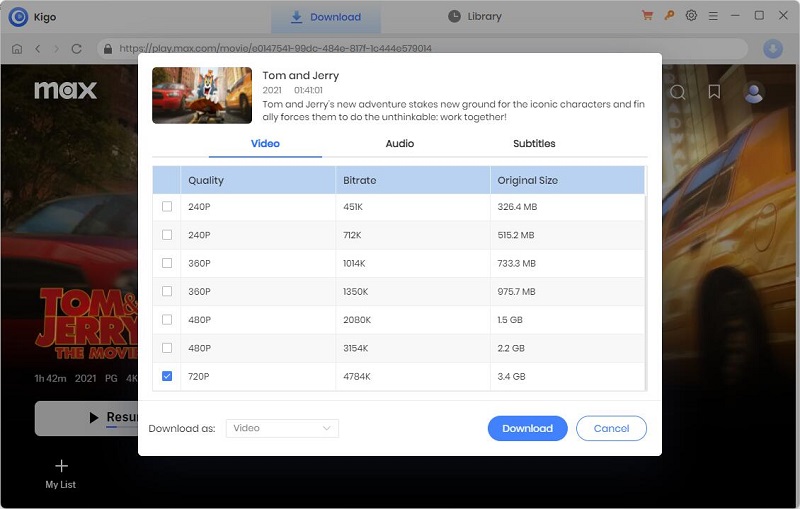
Batch Download HBO Max Videos in Up to 1080p Quality

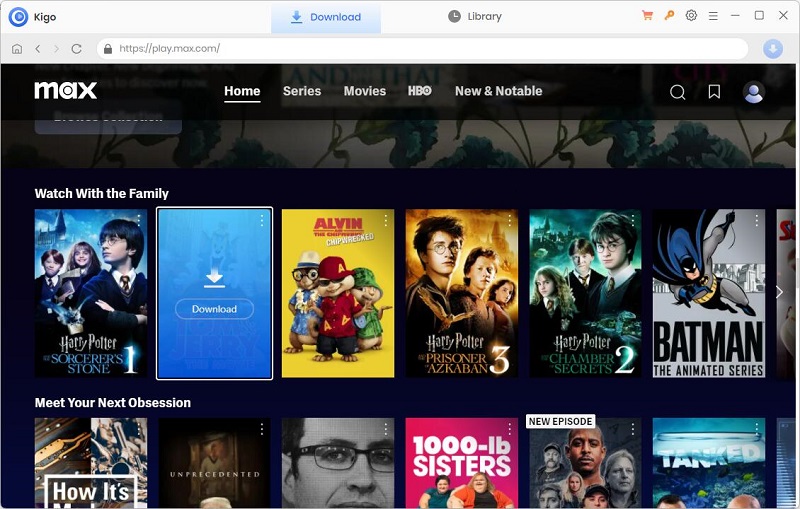
Want to binge-watch HBO Max shows like A Knight of the Seven Kingdoms, The Last of Us, House of the Dragon, or Peacemaker offline? Kigo HBO Max Video Downloader lets you download your favorite Max series in batches—saving multiple episodes at one time while preserving up to 1080p quality. It also offers various video quality options, so you can choose based on your device’s resolution and storage.

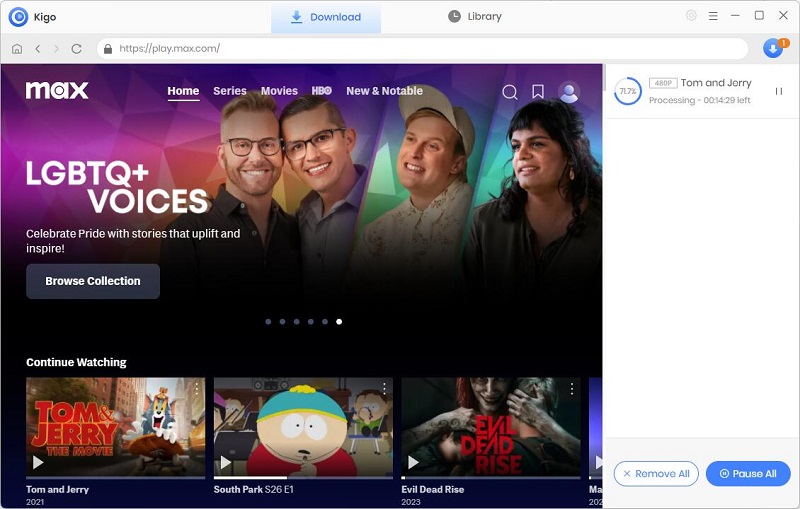
Powered by advanced downloading technology and hardware acceleration, Kigo HBO Max Video Downloader boosts download speeds up to 10x. You can save a full HBO Max movie to your computer in around 20 minutes—so you spend less time waiting and more time watching.

Save HBO Max Videso as MP4/MKV for Any Device

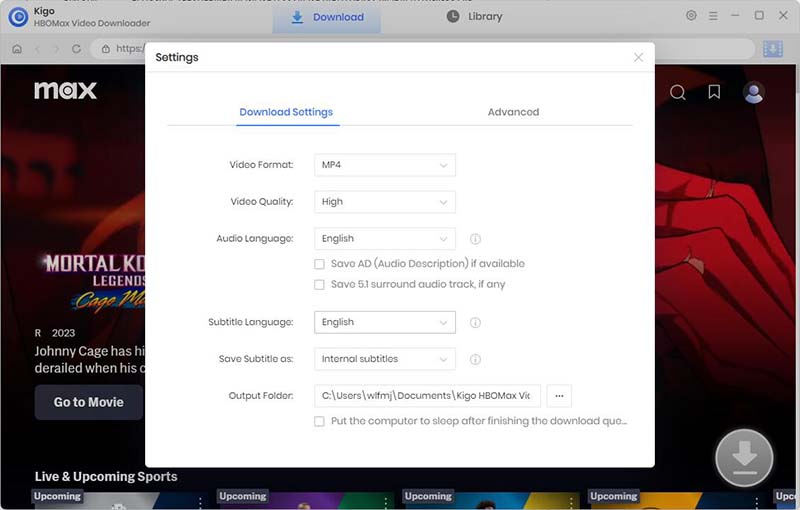
One of the most valuable features of Kigo HBO Max Video Downloader is its ability to convert HBO Max videos to MP4 or MKV formats. These widely compatible formats let you play your downloaded HBO Max shows and movies offline on virtually any device. Even if your subscription expires, you can still access your downloaded content. No HBO Max app needed!

By downloading HBO Max movies and TV shows as MP4 files with Kigo, you gain the freedom to play your videos on any media player or device, such as Windows Media Player, VLC Media Player, smartphones, tablets, laptops, game consoles, TVs, and more. Want to back up your movies or shows? You can transfer the downloaded HBO Max videos to an external hard drive or cloud drive for permanent storage.

converrt hbo max video to mp4 or mkv
keep all audio tracks

Preserve Multilingual Soundtracks, including EAC3 5.1 Audio & AD audio

Most movies and shows on HBO Max offer multiple language options through dubbed audio tracks, meeting the needs of a global audience. Whether you're a native speaker or not, Kigo HBO Max Video Downloader allows you to download all available audio tracks (including "No Dialogue" audio tracks) along with the videos.

In addition to downloading HBO Max videos in up to 1080p quality, Kigo HBO Max Video Downloader also preserves EAC3 (Dolby Digital Plus) 5.1 surround sound and audio descriptions—enhancing your offline viewing and listening experience.

Save Subtitles in 3 Modes and Edit in VTT Format

With Kigo HBO Max Video Downloader, you can not only download subtitles along with the video for offline viewing, but also save them as internal, external, or hardcoded subtitles based on your needs. Choose internal subtitles to include multiple languages within a single video. Choose external subtitles if you want to edit them. Choose hardcoded subtitles if you want to burn them directly into the video.

Kigo HBO Max Video Downloader supports downloading subtitles in VTT format, giving you greater flexibility for editing and allowing you to style up your captions in a more creative way.

keep all subtitles
Free download for Windows version Free Download Purchase the Windows version Purchase Now

Personalized Functions

Utimate Solution to Download HBO Max Videos Offline
get ad-free videos

Get Ad-free Max Video

Even users subscribe 'Ads-Free' plan, while they download videos with Kigo, the Ads will be removed automatically.

h264 and h265

Support H.264 & H.265

H.264 and H.265 video codecs are enabled to save HBO Max videos with an optimal file size according to your device's storage.

fast speed

Hardware Acceleration Support

Fast Download Max videos 10x faster with hardware acceleration, saving time and effort.

smart search

Smart Search

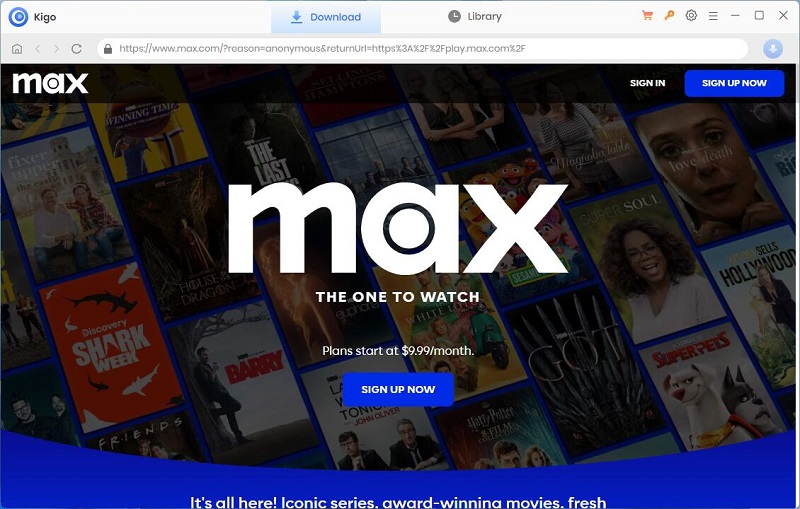
The built-in browser enables users directly access the Max library and download any videos on your device.

keep metadata information

Preserve Metadata Info

With Kigo, the downloaded video metadata is kept intact, including year, season, shooting time, duration, etc.

free upgrades & support

Free Updates & Support

Offer timely customer service. Enjoy free updates and 24/7 technical support during the subscription period.

How to use Kigo HBOMax Video Downloader to download videos

System Requirements

  • Supported Windows OS: Windows 7, 8, 10, 11 (32-bit & 64-bit)
  • Supported Mac OS: macOS 11 or later
  • Processor: 1G Hz processor or above
  • Monitor: 1024x768 pixels or higher resolution
  • RAM: 512MB or higher
  • Output Video Format: MP4, MKV
  • Output Video Quality: 720p
  • Audio: AAC, EAC-3 5.1
  • Subtitles Format: SRT, VTT
  • Subtitles Type: Internal, External, Hardcode
Usage Guidelines for Kigo HBOMax Video Downloader:
  • Kigo Video Downloader is solely for personal use, non-commercial purposes. You may use it to download videos you enjoy, enabling you to watch them offline whenever you like. But it is prohibited to use it for any commercial activities or profit-making purposes.
  • Do not share the downloaded videos with any third parties. This includes but is not limited to uploading or distributing downloaded videos on social media, video-sharing platforms, or any other online channels.

By adhering to these simple guidelines, you will be able to fully enjoy the convenience and pleasure brought by Kigo HBOMax Video Downloader while maintaining legal use standards. If you have any questions or need support, feel free to contact us.

Try Kigo HBO Max Video Downloader

Download Your favorite HBO Max shows and movies in 1080p MP4 videos NOW!

Safe & Clean
Monthly Installs
Average User Rating
Free Technical Support

What our users saying about Kigo HBOMax Video Downloader

user review
“After downloading HBO Max videos, it makes my personal home theater more informative and I can always . expand my library. ”
Brandon
user review
“The operation is very simple and I can use it to download Max videos proficiently even if I'm not very familiar with computers.”
Ariana
user review
Customer support is professional and fast. I had some questions about downloading an HBO Max movie, and was satisfied with their reply. ”
Zavier

Frequently Asked Questions

Kigo liberates you from download limitations, offering the freedom to download any playable video on the web player for seamless offline viewing without constraints on the number of titles. You can download unlimited videos from HBO Max as long as your device has enough storage space.
Yes, Using Kigo HBOMax Video Downloader, you can watch the downloaded videos offline on any device as Kigo downloads videos in HD MP4 or MKV format compatible with many devices.
Kigo provides a trial version, allowing you to experience the program's features firsthand before making a purchase. The free trial version has the same features as the full version but only limits you to download the first 5 minutes of each video. To download the whole video, you need to purchase a license.
Yes, Kigo HBOMax Video Downloader empowers you to save the downloaded videos permanently on your device. Even if your subscription expires, the downloaded videos will still be accessible.
Is there something we didn't cover here? Learn more FAQs about Kigo HBOMax Video Downloader
videoone entrance
Icon